 荒岛
荒岛
由于Garage S3没有版本控制的功能,最近部署的几个程序都需要用到这个功能,所以部署一个RustFS当作备用。
还有一个重要原因是,RustFS可谓是历经千辛万苦,终于把这个BUG给修好了= =
RustFS和MinIO在部署和使用方面都非常相似,如果你用过MinIO,那么上手RustFS会很容易,比Garage简单的多~
准备工作:
- 一个域名,添加A记录解析。本文示例:rustfs.example.com、rustfs-console.example.com
- 如需要支持虚拟主机风格的存储桶,则还需要添加一个通配符域名解析记录:*.rustfs.example.com
- 一台Debian服务器,开放80、443、9000、9001端口
安装Docker:
apt -y update
apt -y install curl
curl -fsSL https://get.docker.com -o get-docker.sh
sh get-docker.sh
新建compose文件:
mkdir -p /opt/rustfs && cd /opt/rustfs && nano docker-compose.yml写入如下内容:
services:
  rustfs:
    image: rustfs/rustfs:latest
    container_name: rustfs-server
    restart: unless-stopped
    security_opt:
      - "no-new-privileges:true"
    ports:
      - "127.0.0.1:9000:9000" # S3 API
      - "127.0.0.1:9001:9001" # 控制台
    environment:
      - RUSTFS_SERVER_DOMAINS=rustfs.example.com
      - RUSTFS_VOLUMES=/data/rustfs0
      - RUSTFS_ADDRESS=0.0.0.0:9000
      - RUSTFS_CONSOLE_ADDRESS=0.0.0.0:9001
      - RUSTFS_CONSOLE_ENABLE=true
      - RUSTFS_CORS_ALLOWED_ORIGINS=*
      - RUSTFS_CONSOLE_CORS_ALLOWED_ORIGINS=*
      - RUSTFS_ACCESS_KEY=imlala
      - RUSTFS_SECRET_KEY=setyoursecretkey
      - RUSTFS_REGION=auto
      - RUSTFS_OBS_LOGGER_LEVEL=info
      - RUSTFS_OBS_LOG_DIRECTORY=/app/logs
    volumes:
      - ./data:/data
      - ./logs:/app/logs
    healthcheck:
      test: ["CMD", "sh", "-c", "curl -f http://localhost:9000/health && curl -f http://localhost:9001/health"]
      interval: 30s
      timeout: 10s
      retries: 3
      start_period: 40s
启动:
docker compose up -d配置Ferron反向代理:
nano /etc/ferron.kdl写入如下内容:
rustfs.example.com {
    proxy "http://127.0.0.1:9000/"
    proxy_request_header_replace "Host" "{header:Host}"
}

rustfs-console.example.com {
    proxy "http://127.0.0.1:9001/"
    proxy_request_header_replace "Host" "{header:Host}"
}
重载Ferron:
systemctl reload ferron如遇到Ferron反向代理导致上传速度慢,可以参考这篇文章解决。
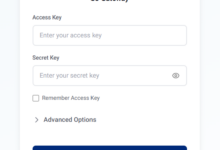
控制台URL:https://rustfs-console.example.com
登录账号:你设置的RUSTFS_ACCESS_KEY值
登录密钥:你设置的RUSTFS_SECRET_KEY值
简单说一下虚拟主机风格(Virtual Host Style)的存储桶。我们之前已经配置了RUSTFS_SERVER_DOMAINS环境变量,域名为:rustfs.example.com,那么虚拟主机风格存储桶的命名规则应该是这样的:
bucket0.rustfs.example.com
bucket1.rustfs.example.com
bucket2.rustfs.example.com
...
实战演示一下,在RustFS控制台创建一个桶,例如名字为:photo-rustfs
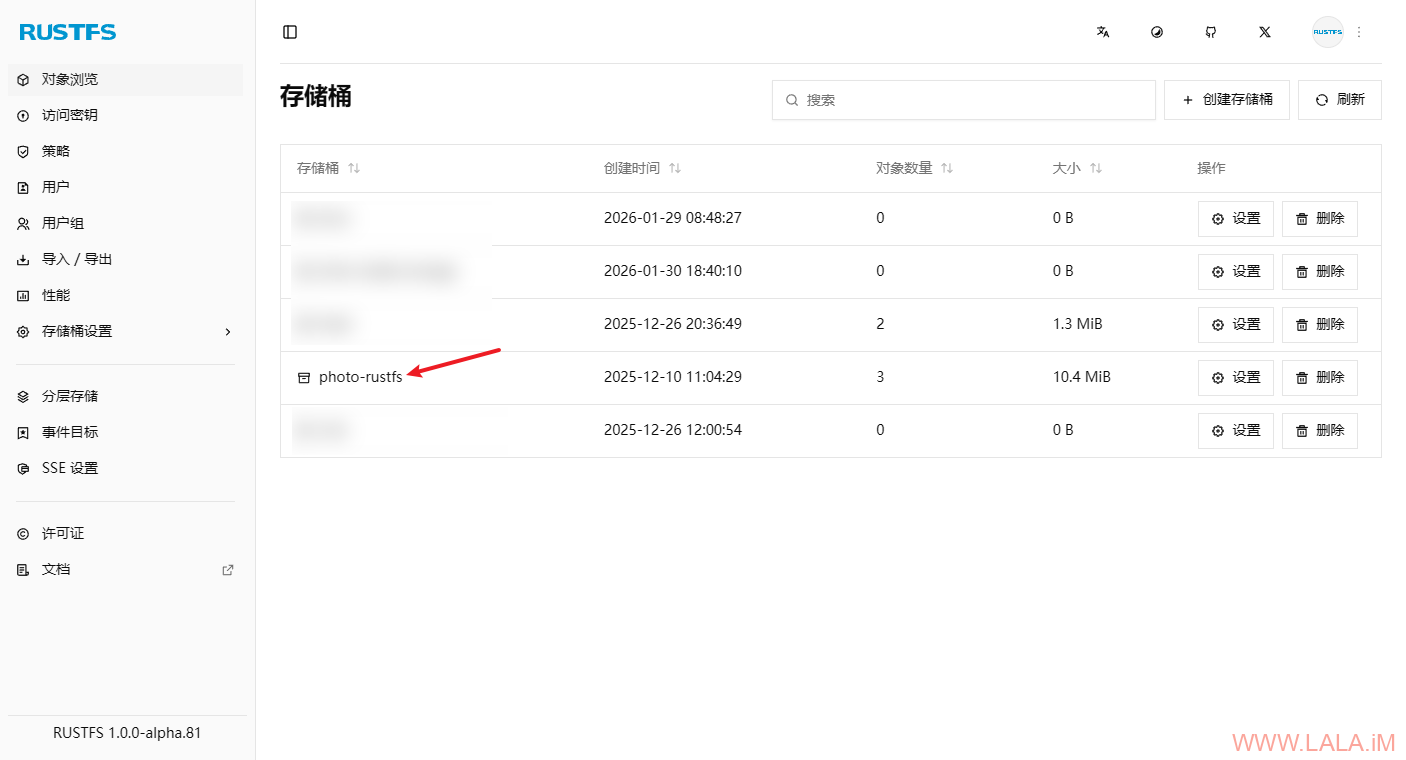
编辑Ferron配置文件:
nano /etc/ferron.kdl将之前的配置修改为如下内容:
rustfs.example.com,*.rustfs.example.com {
    proxy "http://127.0.0.1:9000/"
    proxy_request_header_replace "Host" "{header:Host}"
}
另外因为需要用到通配符域名证书,务必将Ferron申请证书的方式改为DNS-01,这里我配置的DNS服务商是CloudFlare,将yourkey修改成你在CloudFlare申请的key:
* {
    ...
//    auto_tls_challenge "http-01"
    auto_tls_challenge "dns-01" provider="cloudflare" api_key="yourkey"
    ...
}
重载Ferron:
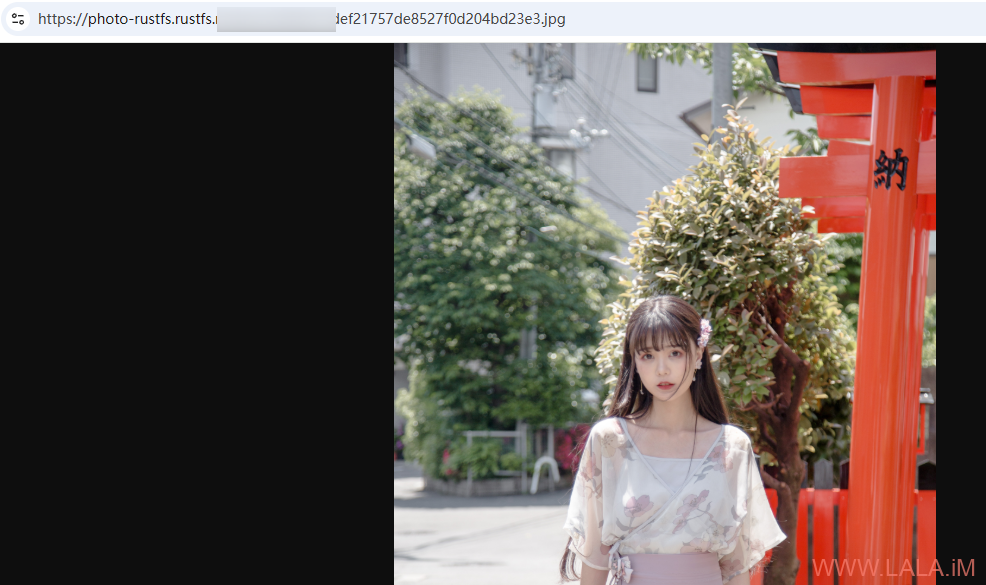
systemctl reload ferron这个桶现在的URL应该是:
photo-rustfs.rustfs.example.com将桶的访问策略设置为公有,然后上传文件进行测试,如果正常应该可以访问到上传的文件:
参考:
https://docs.rustfs.com/integration/virtual.html
https://github.com/rustfs/rustfs/blob/main/docker-compose.yml