 荒岛

一直拖着,最终还是得升,记录下步骤和遇到的问题解决办法。升级前建议先备份一下,我是在Hetzner创建了一个VPS的快照。从11升级到13,必须先升级到12,再从12升到13。也就是:11 → 12 → 13。而不是:11 → 13。
跨版本升级最好先把当前版本的系统更新到最新。且Debian 11已经EOL,现有软件源不能用的话,就先换成Debian的archive仓库:
nano /etc/apt/sources.list改成下面列出的内容,main contrib non-free这些套件根据自己的需要配置:
deb [check-valid-until=no] https://archive.debian.org/debian bullseye main contrib non-free
deb [check-valid-until=no] https://archive.debian.org/debian bullseye-updates main contrib non-free
deb [check-valid-until=no] https://archive.debian.org/debian-security bullseye-security main contrib non-free
先把Debian 11更新到最新:
apt update
apt full-upgrade
reboot
重启后安装tmux,后续升级在tmux会话中进行:
apt update
apt install tmux
tmux new -s debian-upgrade
如果ssh中断,可以用这个命令回到之前的会话:
tmux attach -t debian-upgrade编辑sources.list:
nano /etc/apt/sources.list将Debian archive条目替换为:
deb https://deb.debian.org/debian bookworm main contrib non-free non-free-firmware
deb https://deb.debian.org/debian bookworm-updates main contrib non-free non-free-firmware
deb https://deb.debian.org/debian-security bookworm-security main contrib non-free non-free-firmware接下来修改/etc/apt/sources.list.d目录内的第三方软件源。
我目前有sury的PHP软件源,Docker软件源,还有一个CrowdSec的软件源。这其中值得注意的是CrowdSec的源,因为他们使用的是any any main,所以无需替换发行版名称,也就是保持默认即可不做修改:
deb [signed-by=/etc/apt/keyrings/crowdsec_crowdsec-archive-keyring.gpg] https://packagecloud.io/crowdsec/crowdsec/any any main
deb-src [signed-by=/etc/apt/keyrings/crowdsec_crowdsec-archive-keyring.gpg] https://packagecloud.io/crowdsec/crowdsec/any any main
修改sury的PHP软件源:
nano /etc/apt/sources.list.d/php.list将bullseye改为bookworm:
deb [signed-by=/usr/share/keyrings/debsuryorg-archive-keyring.gpg] https://packages.sury.org/php/ bookworm main修改Docker软件源:
nano /etc/apt/sources.list.d/docker.list将bullseye改为bookworm:
deb [arch=amd64 signed-by=/etc/apt/keyrings/docker.gpg] https://download.docker.com/linux/debian bookworm stable由于我用的Hetzner云服务器,Hetzner会额外配置两个自己的候选软件源,在这里都需要禁用掉。
一个是hetzner-mirror.list:
nano /etc/apt/sources.list.d/hetzner-mirror.list注释:
# deb http://mirror.hetzner.com/debian/packages bullseye main contrib non-free
# deb http://mirror.hetzner.com/debian/packages bullseye-updates main contrib non-free
还有一个hetzner-security-updates.list:
nano /etc/apt/sources.list.d/hetzner-security-updates.list注释:
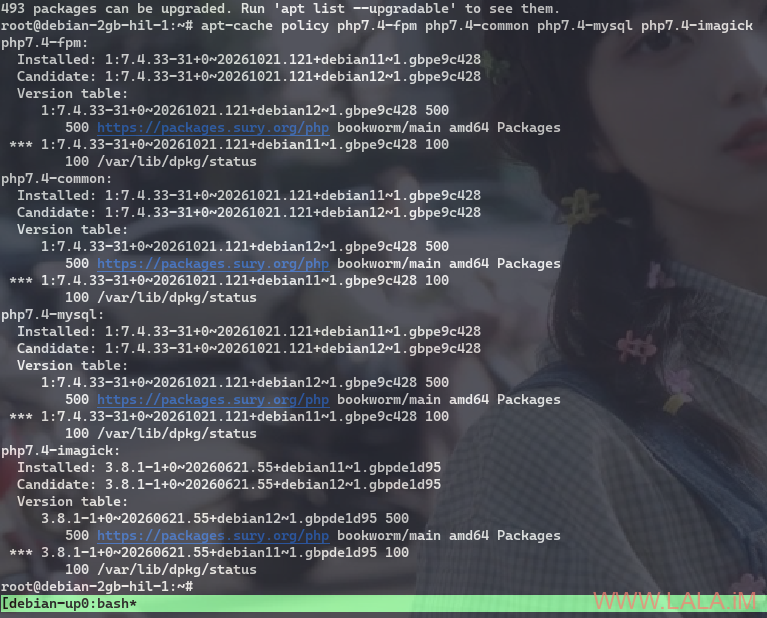
# deb http://mirror.hetzner.com/debian/security bullseye-security main contrib non-free有人可能会担心,这样升级的话会不会导致PHP版本也跟着一起升了?实际上是不会的,例如我现在用的是PHP7.4,升级后还是PHP7.4。升级前可以先查看一下PHP的候选版本:
apt update
apt-cache policy php7.4-fpm php7.4-common php7.4-mysql
PHP7.4的候选包来自Sury的Debian 12构建。所以不要为了保留PHP7.4而锁住旧的Debian 11构建,新系统需要匹配新的依赖,你要把包给锁了那相反还会出问题。
升级前先停止数据库:
systemctl stop mariadb先执行最小升级,完成后再进行完全升级:
apt update
apt upgrade --without-new-pkgs
apt full-upgrade
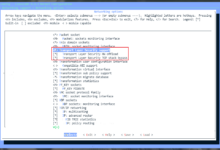
期间弹这个出来就选yes:

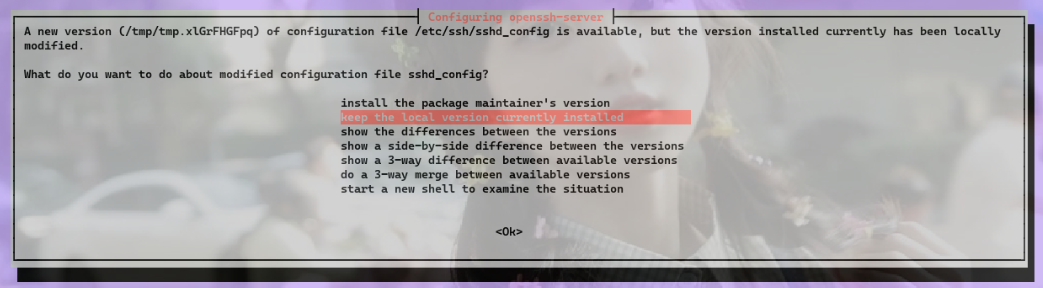
弹这个就选keep the local version currently installed:
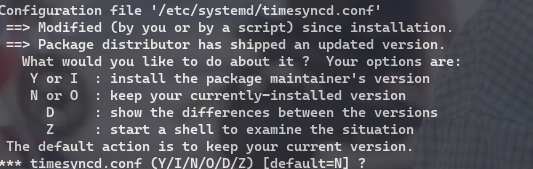
弹这个就直接按回车或者输入N按回车:
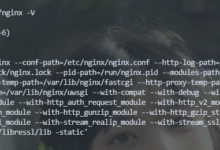
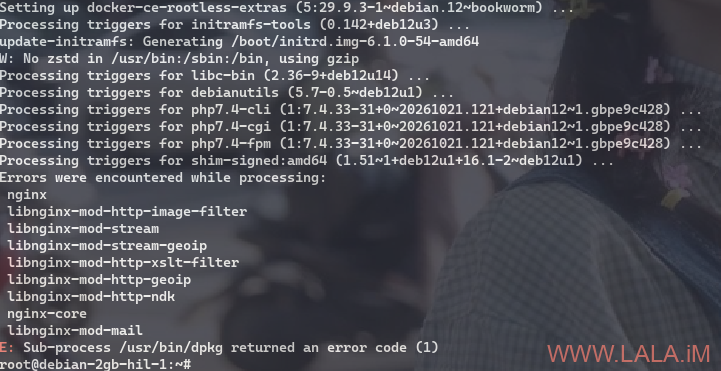
然后不出意外的话就要出意外了,Nginx报错了:
测试下Nginx配置,也是报错:

初步发现是Nginx的Lua模块在升级的时候被卸载了,遂重新安装一下:
apt install libnginx-mod-http-lua libnginx-mod-http-ndk结果安装过程中又报错了,而且是连锁依赖错误,看到这里头都是大的:
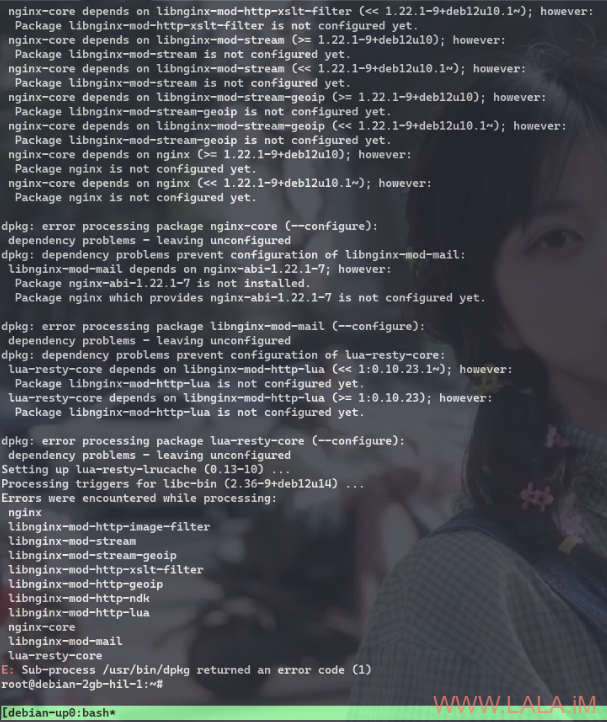
确认Lua、NDK的模块文件和加载链接是否齐全:
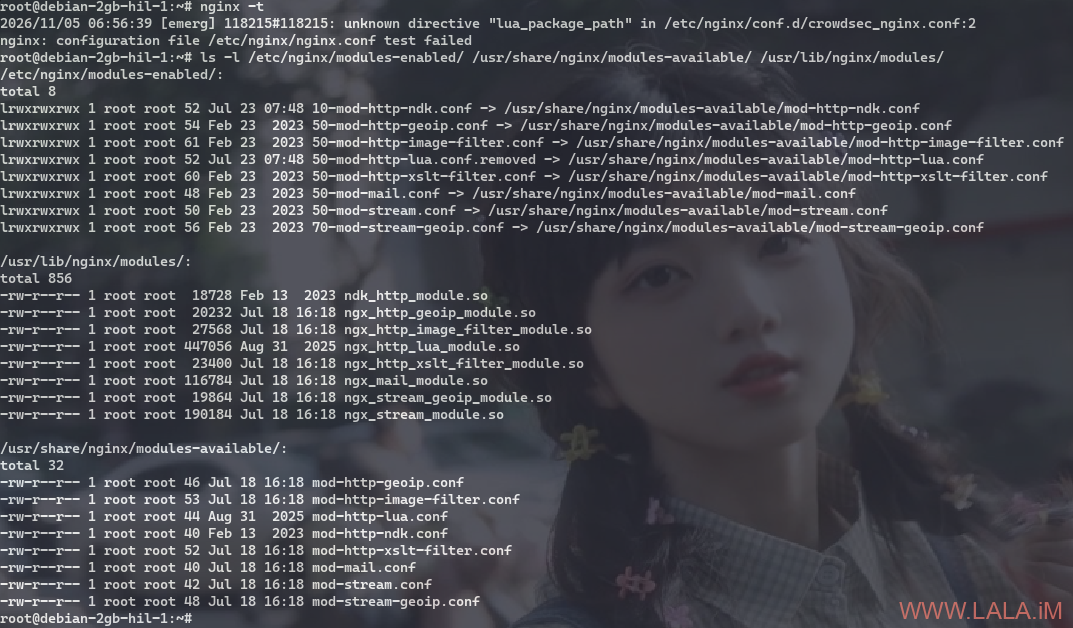
原因很明显了,Lua模块已经在磁盘上,但它的加载链接被改名为50-mod-http-lua.conf.removed。Nginx只加载*.conf所以跳过了它。NDK的加载链接正常。所以只需要把文件名给恢复:
mv -i /etc/nginx/modules-enabled/50-mod-http-lua.conf.removed /etc/nginx/modules-enabled/50-mod-http-lua.conf完成尚未配置的软件包并进行必要的检查和服务重启:
dpkg --configure -a
apt-get check
dpkg --audit
systemctl restart nginx
systemctl is-active nginx
其中check和audit预期应该是没有任何输出。事后让Codex分析了一下原因:
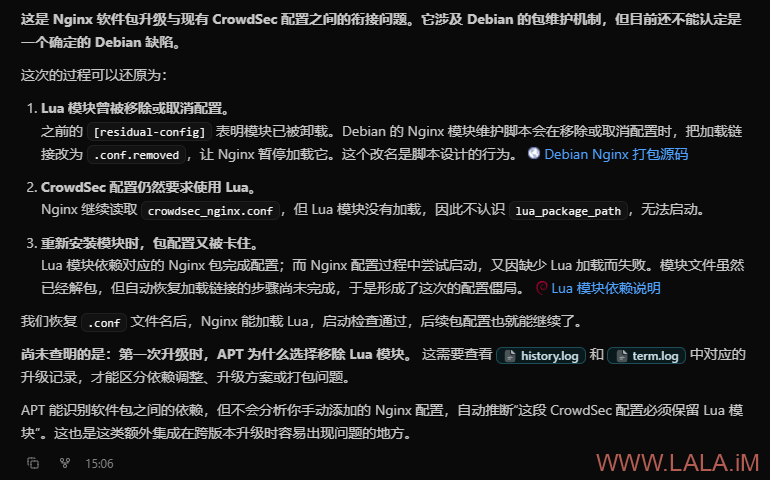
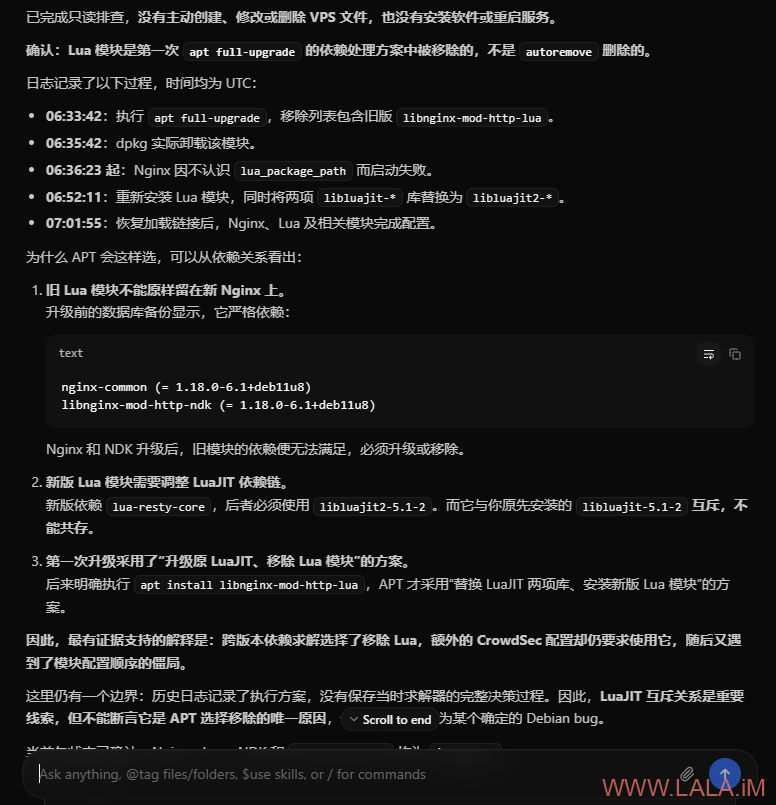
现在已经将系统从Debian 11升级到Debian 12了,建议重启一遍:
reboot重启后继续按Debian 12 → 13(trixie)的路线来升级。编辑sources.list:
nano /etc/apt/sources.list将软件源从bookworm切换到trixie:
deb https://deb.debian.org/debian trixie main contrib non-free non-free-firmware
deb https://deb.debian.org/debian trixie-updates main contrib non-free non-free-firmware
deb https://deb.debian.org/debian-security trixie-security main contrib non-free non-free-firmware
修改sury的PHP软件源:
nano /etc/apt/sources.list.d/php.list将bookworm改为trixie:
deb [signed-by=/usr/share/keyrings/debsuryorg-archive-keyring.gpg] https://packages.sury.org/php/ trixie main修改Docker软件源:
nano /etc/apt/sources.list.d/docker.list将bookworm改为trixie:
deb [arch=amd64 signed-by=/etc/apt/keyrings/docker.gpg] https://download.docker.com/linux/debian trixie stable升级前先停止数据库:
systemctl stop mariadb在tmux会话内先执行最小升级,完成后再进行完全升级:
tmux new -s upgrade13
apt update
apt upgrade --without-new-pkgs
apt full-upgrade
如果弹这个就选keep the local version currently installed:
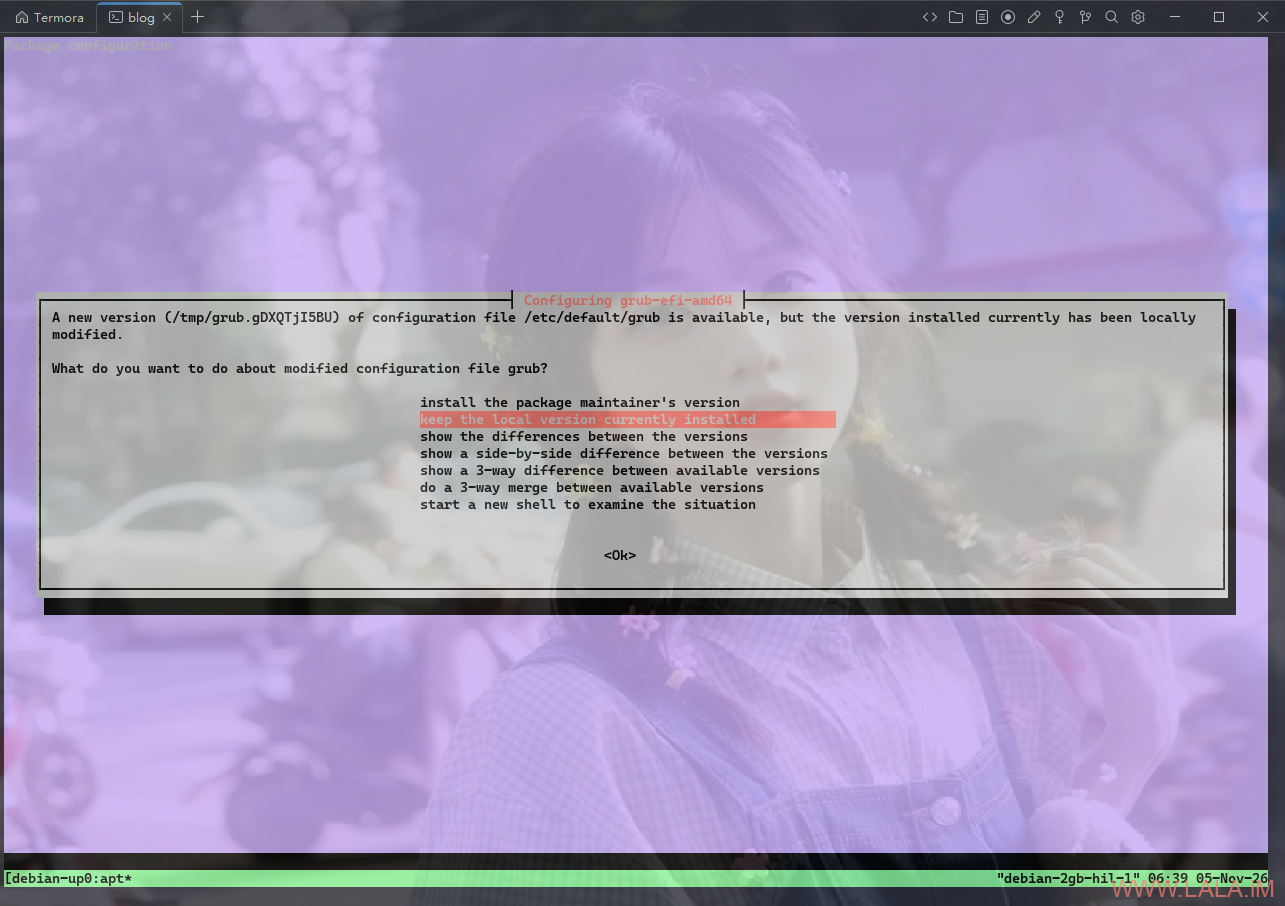
完成后重启并清理不再需要的软件包:
reboot
apt autoremove
升级到Debian 13后的一些问题。
原先的bbr配置不生效了?这是由于从13起不再使用/etc/sysctl.conf配置文件,升级上来的系统会保留:/etc/sysctl.conf.dpkg-bak。可以将/etc/sysctl.conf.dpkg-bak里面的内容移到/etc/sysctl.d/。
创建配置文件:
nano /etc/sysctl.d/99-bbr.conf写入:
net.core.default_qdisc = fq
net.ipv4.tcp_congestion_control = bbr
应用配置:
sysctl -p /etc/sysctl.d/99-bbr.conf验证:
sysctl net.core.default_qdisc net.ipv4.tcp_congestion_control找不到last命令了,这是Debian 13的正式变更:util-linux不再提供旧版last,改用基于SQLite的wtmpdb,以避免旧日志格式的2038年时间限制。如果要用last命令,需要手动安装:
apt install wtmpdb libpam-wtmpdbNginx配置检查有一大堆弃用警告:
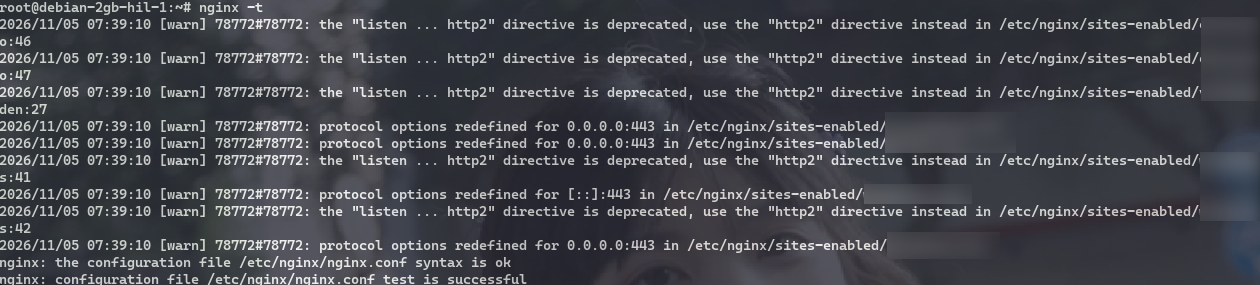
意思是旧的HTTP/2写法已被弃用,目前仍兼容:
listen 443 ssl http2;新版推荐在同一个server { ... }中改为:
listen 443 ssl;
http2 on;IPv6的listen行也类似处理;每个server中只需写一次http2 on。